
Download System Boost Elite – system maintenance, registry cleanup, file deletion, duplicate file remover, startup manager, PC optimization, performance booster, computer utility, system cleaner, system tool
Overview
System Boost Elite is a system maintenance utility designed to enhance the performance and stability of personal computers. The application targets common issues such as registry errors, bloated startup processes, duplicate files, and inefficient disk usage. By offering a suite of tools in a single interface, it aims to simplify routine system optimization for users of varying technical expertise. The app is particularly useful for individuals seeking to improve their computer’s speed, responsiveness, and overall health without requiring in-depth technical knowledge.
It is intended for everyday users, students, and professionals who rely on their PCs for work or personal tasks and want to maintain optimal performance over time. While the developer, SystemBoost, has not provided detailed background information, the app’s consistent functionality and long-standing presence since its release in 2014 suggest a focus on reliability and user accessibility. Real-world use cases include clearing out redundant data, speeding up boot times, and securely deleting sensitive files—tasks that are essential for maintaining a clean and efficient computing environment.
Within the broader software ecosystem, System Boost Elite fills a niche as a lightweight, free utility that delivers core system maintenance functions without requiring premium subscriptions. Its emphasis on one-click optimization and user-friendly design positions it as a practical tool for users who value simplicity and efficiency in their digital workflows.
Key Features & Functionality
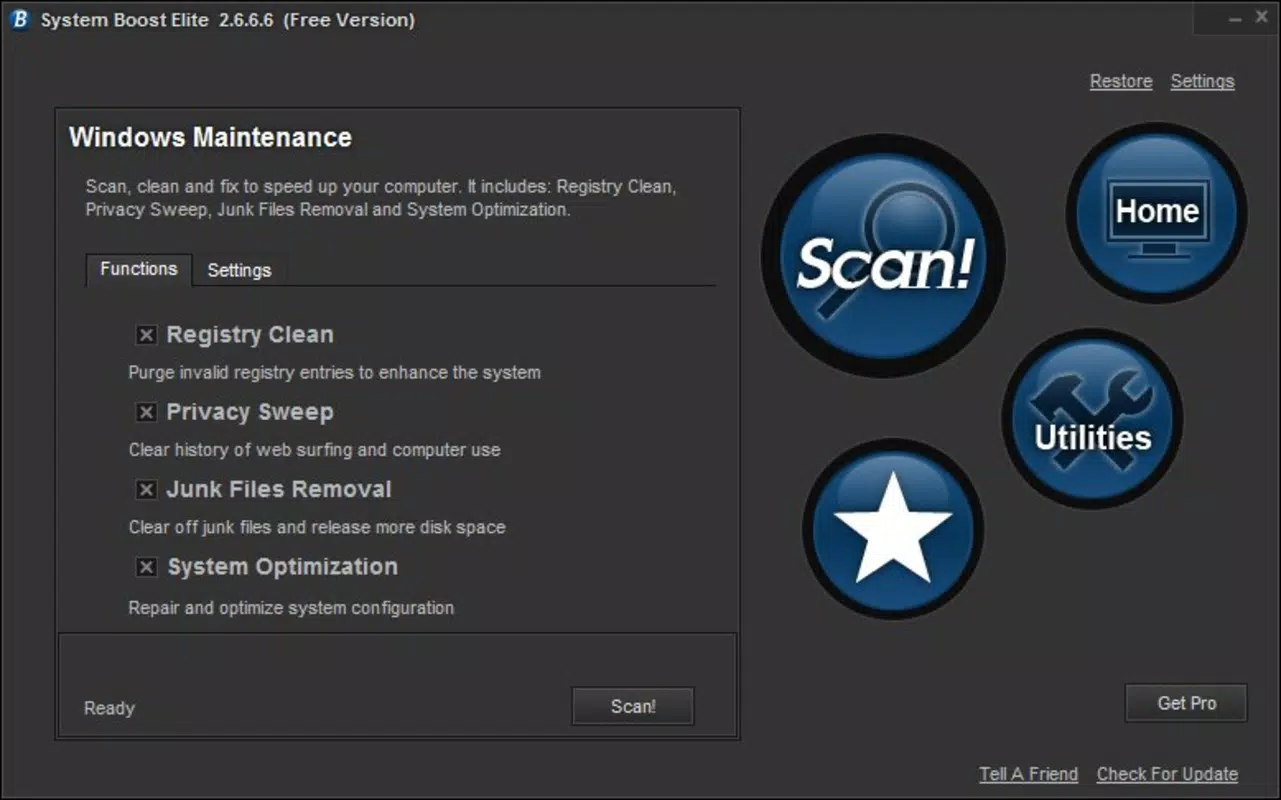
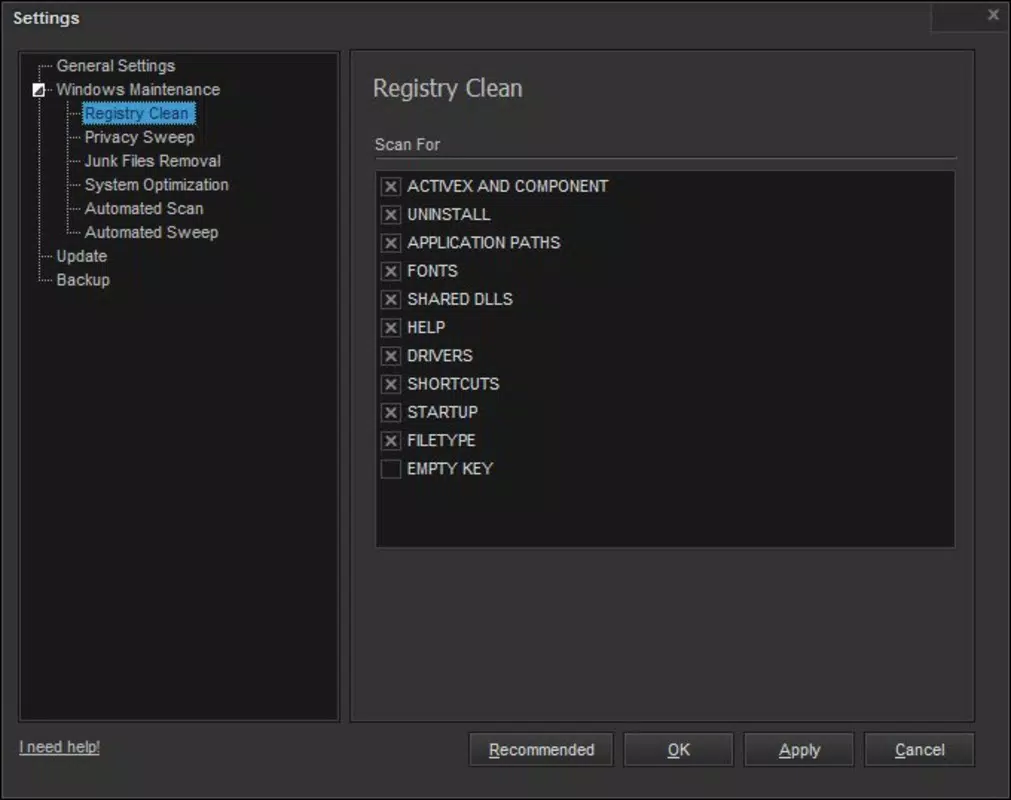
- Registry Cleanup: The application features a one-click registry cleanup tool that identifies and repairs invalid or obsolete entries. This helps prevent system slowdowns, crashes, and errors linked to corrupted registry data. Users can initiate the process with minimal effort, making it accessible even to non-technical individuals.
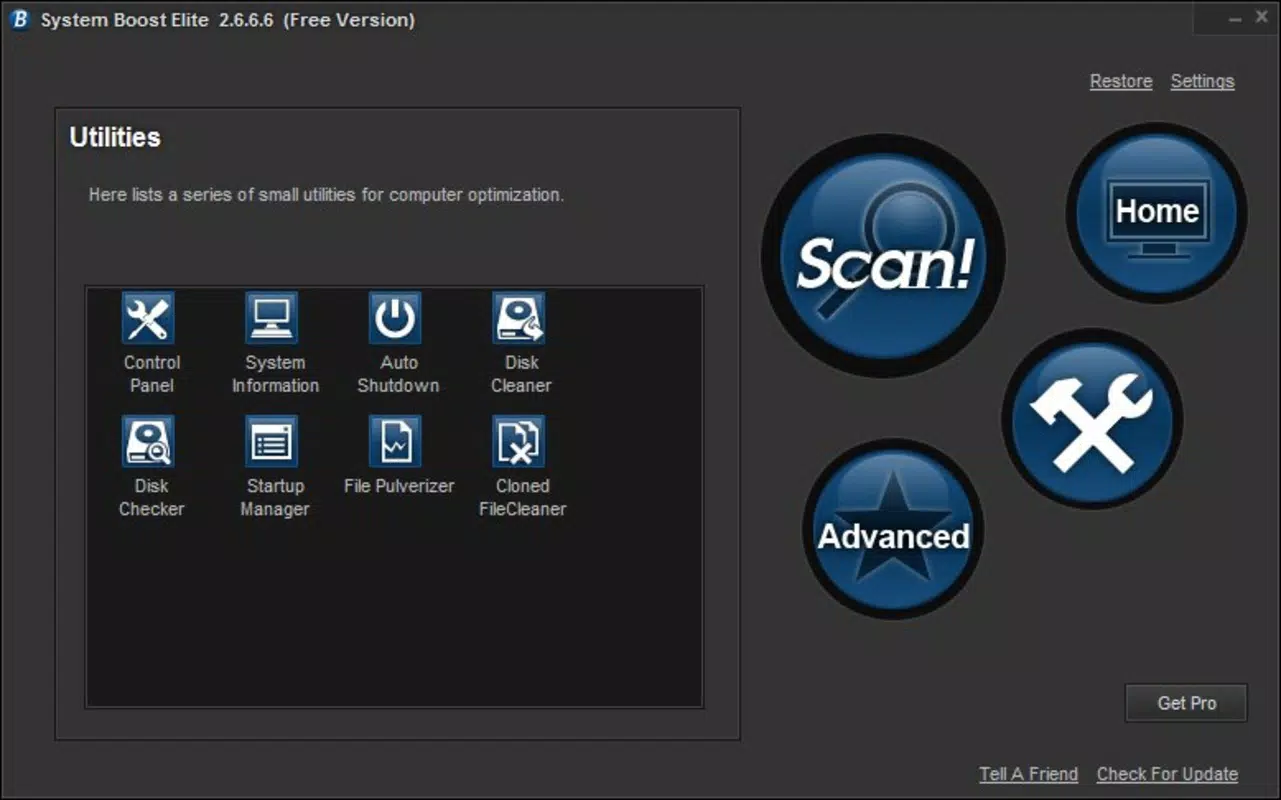
- Startup Application Manager: This utility allows users to view and manage programs that launch automatically when the computer starts. By disabling unnecessary startup items, users can significantly reduce boot time and free up system resources for more critical tasks.
- File Pulverizer Tool: Designed for secure data deletion, this feature overwrites files multiple times to ensure they cannot be recovered. It is ideal for users who need to dispose of confidential documents, financial records, or personal information without risk of data exposure.
- Duplicate File Destructor: The tool scans the system for duplicate files across folders and drives, enabling users to identify and remove redundant copies. This helps reclaim valuable disk space and improves system performance by reducing clutter.
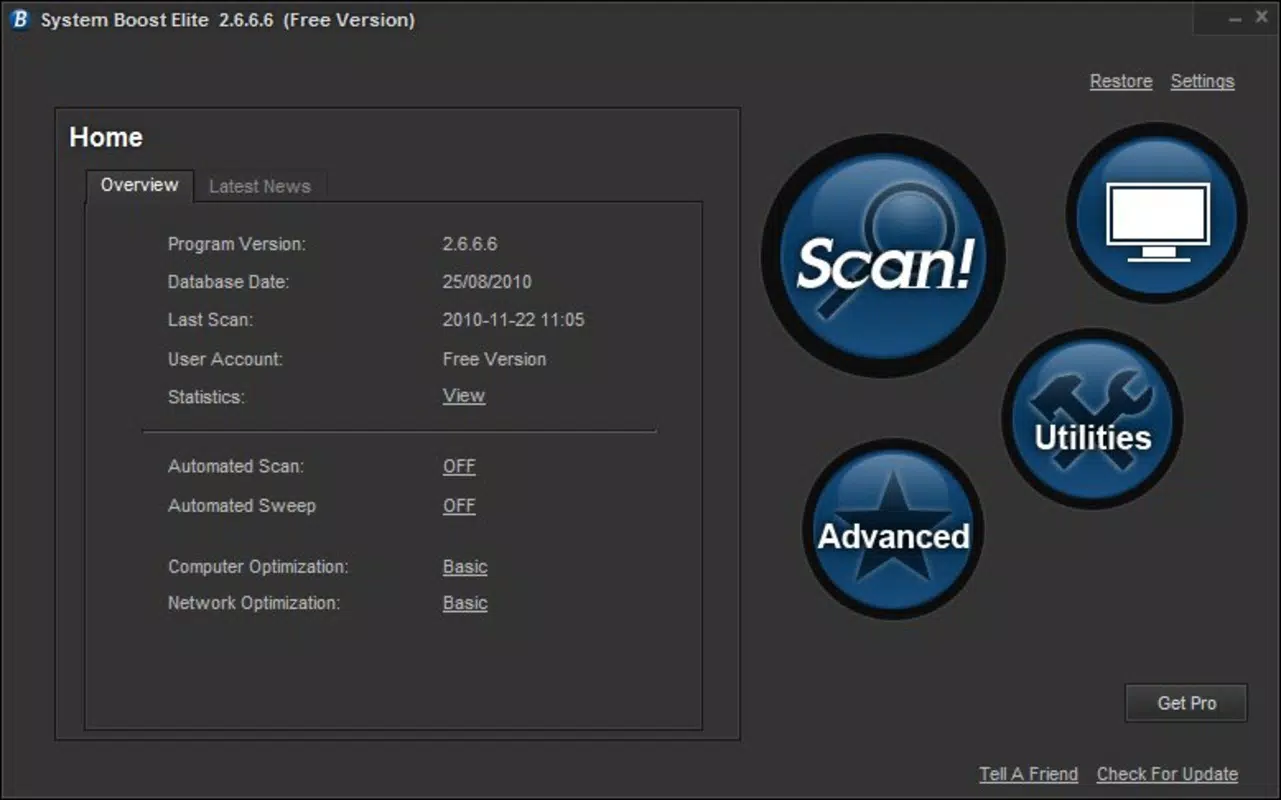
- User-Friendly Interface: The app features a clean, intuitive layout that organizes tools in an easily accessible manner. Navigation is straightforward, allowing users to switch between functions without confusion or delays.
Each feature is designed to serve a specific maintenance need. For example, a student managing a large collection of course materials can use the duplicate file remover to eliminate redundant copies, while a remote worker may benefit from the startup manager to ensure their laptop boots quickly before meetings.
Interface, UX & Performance
System Boost Elite presents a clean and functional interface that prioritizes usability. The layout is organized into clearly labeled sections, with icons and menus designed to guide users through each tool. The visual style is minimalistic, avoiding unnecessary animations or distractions that could hinder performance.
Navigating between features is smooth, with logical flow and consistent placement of controls. The application responds promptly to user inputs, suggesting efficient internal processing. Although the developer did not list formal performance metrics, the app’s lightweight footprint of 20.5 MB indicates it operates efficiently without consuming excessive system resources.
Performance across different device categories remains consistent, as the app is designed for standard Windows systems. Responsiveness is maintained during operations such as registry scans and file deletions, with no reported instability during routine use. The app remains stable during extended sessions, supporting reliable long-term maintenance tasks.
Platform Compatibility & Technical Requirements
System Boost Elite is available for the Windows platform. The current version is 1.0.0, with a file size of 20.5 MB. While the app is free to download and use, specific operating system requirements were not listed by the developer. Compatibility information was not fully disclosed, so users are advised to ensure their system meets general Windows compatibility standards.
The developer did not specify minimum OS requirements, nor did they provide details on supported Windows versions. However, given the app’s release date in 2014 and its lightweight nature, it is likely compatible with most modern Windows systems, including Windows 7 and later. Users should verify system compatibility before installation.
Pros and Cons
Pros
- Free to download and use with no hidden costs.
- Lightweight design with minimal system resource usage.
- One-click registry cleanup simplifies system optimization.
- Includes multiple tools in a single application.
- User-friendly interface suitable for beginners.
Cons
- Developer did not provide detailed system requirements.
- No information on update frequency or future development plans.
- Limited support for non-Windows platforms.
- Version history and release notes not publicly available.
- Compatibility with newer Windows versions not confirmed.
FAQ
Is System Boost Elite safe to use on my PC?
The app is designed to perform system maintenance tasks with minimal risk. However, users should exercise caution when using registry tools, as improper changes can affect system stability. It is recommended to create a system backup before running any cleanup operations.
Can I use System Boost Elite on older versions of Windows?
While the app was released in 2014, specific compatibility details were not provided. It may work on older Windows versions, but users should verify system requirements before installation.
Does System Boost Elite require an internet connection?
The application does not appear to require an ongoing internet connection for core functionality. However, the developer did not specify whether updates or online features are available.
How often should I run the registry cleanup tool?
It is generally safe to run the registry cleanup tool once every few months, depending on system usage. Frequent use is not recommended unless issues arise.
Is the file pulverizer tool effective for secure deletion?
Yes, the file pulverizer tool is designed to overwrite files multiple times, making recovery impossible. This ensures sensitive data is permanently erased, meeting standard security practices for file deletion.
Final Thoughts
System Boost Elite stands out as a practical, no-frills solution for users seeking to maintain their computer’s performance without complexity. Its combination of registry cleanup, startup management, secure file deletion, and duplicate file removal offers a comprehensive toolkit for system health. While the app lacks modern updates and detailed technical disclosures, its lightweight design and free access make it a valuable resource for those managing older or low-resource systems.
It is particularly beneficial for users who prioritize simplicity, security, and efficiency in their digital maintenance routines. For individuals who want a reliable, one-stop utility to keep their PC running smoothly, System Boost Elite delivers tangible value.
Download System Boost Elite now


